Leasing Analytics
Enterprise
Role
Type
Background
Led product strategy and design that turned raw leasing data into scannable metrics for three user groups.
Problem
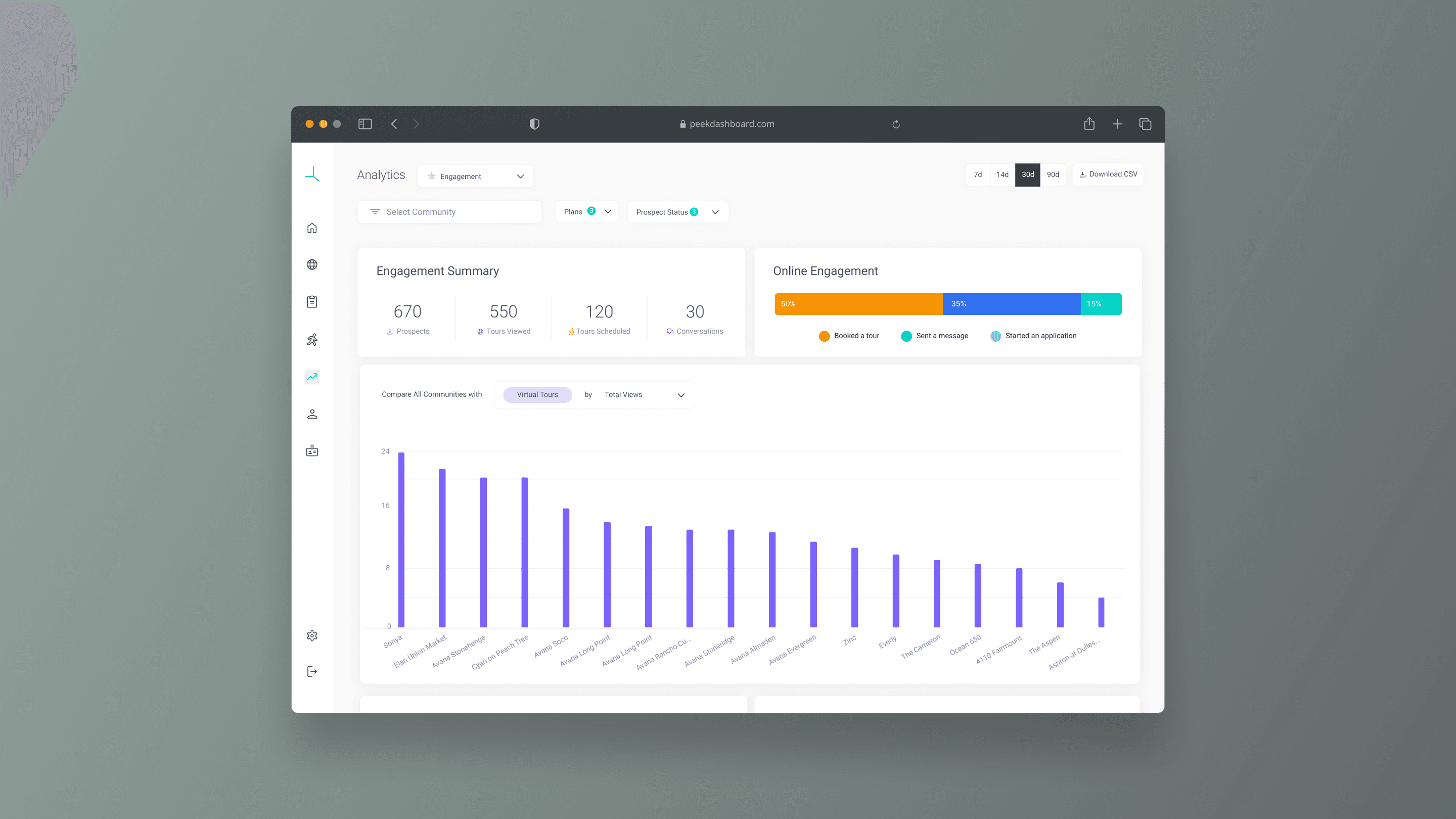
Property managers measured success through application rates and vacancy days. Our dashboard measured views and engagement time. The gap was both data and design: we were missing the metrics customers needed most, and burying the ones we had in a flat page with no hierarchy for different user roles. Customer interviews surfaced three missing data points (application rate, leasing velocity, CTA engagement) and the IA failures that made even existing data hard to act on.
The Gap
28 interviews across three customer organizations revealed four compounding problems: (1) metrics didn’t map to how they evaluate leasing effectiveness, (2) CSV exports only included views, (3) no way to compare across product plans, and (4) three user roles scanned the same page with different questions but the layout gave every metric equal weight. No hierarchy, no sectioning.
2 Phases
The top 3 requested metrics needed 3 to 4 weeks of new backend pipelines. Phase 1 shipped value from existing data: reusable chart components, a CSV export modal with selectable data points and date ranges + community filters. Phase 2 reorganized the pages into three sections mapped to user mental models: Conversion, Engagement, and Content Creation.
Execution
The Approach


Challenges
What wasn’t in the brief
The audit reframed the design problem
Started as a dashboard reorg. The audit revealed the top 3 metrics didn’t exist, reframing this from a UI refresh into a data pipeline initiative with a design layer on top.
Components had to work with partial data in Phase 1 and scale when new metrics arrived in Phase 2. No “coming soon” placeholders. Each phase had to feel complete.
Shipping without the top 3 requests
Application rate, leasing velocity, and CTA engagement were the three most-requested metrics, and none shipped in Phase 1. Backend needed 3 to 4 weeks, a hard dependency that could block everything.
Phase 1 shipped value from existing data instead. The IA ensured Engagement and Content Creation stood alone, and Conversion slotted in later without rearranging what users already knew.
One page, three mental models
Merging VT and SGT into one view reduced context-switching but created comparison problems the separate pages never had. Metrics across products don’t have 1:1 equivalents.
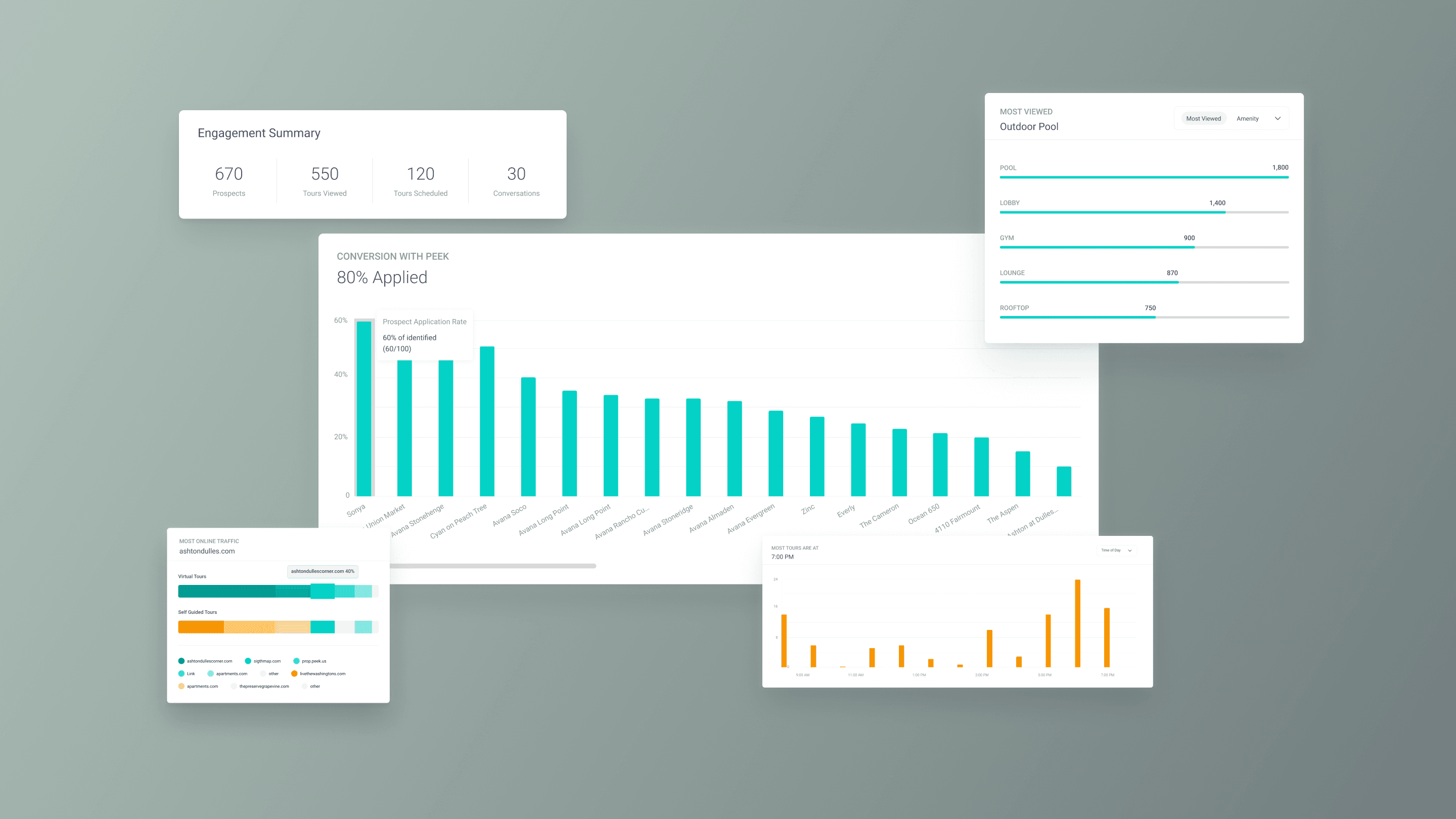
A persistent color system (teal = VT, yellow = SGT) solved attribution across every chart and KPI card. The three-section IA meant each user group lands in their section first.
Final Designs
The Feature
From data dump to reporting tool
CSV export for quarterly reviews
Impact
Success Metrics
15x faster data retrieval
Page load and CSV downloads improved up to 15x through query optimization, lazy-loaded charts, and paginated data fetching. Speed was the prerequisite for every other design decision to have impact.
3x reduction in data support tickets
The 7-template export modal with configurable date ranges turned the most-requested data into self-serve. Downloads match what’s on screen and eliminated the disconnect that drove custom data pull tickets.
A Product Differentiator
Application rate and leasing velocity gave sales proof that Peek drives outcomes, not just views. The three-section IA meant sales could demo to leadership and marketing in the same call.